Easy way to fix your photos

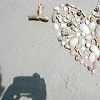
Make a photo with unwanted object, tourist, electric wires or whatever spoils it

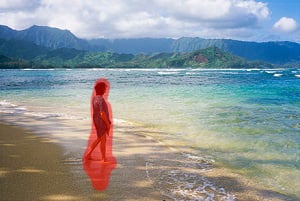
1.Load the image

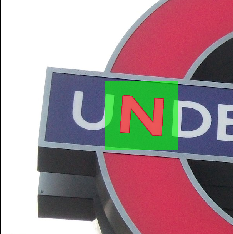
Select the area you want to fix and run the restoration process

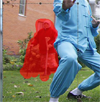
2.Select the problem area to be corrected

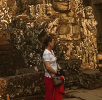
Now the image looks much better, doesn't it?

3.Say goodbye to the unwanted objects and save

Photo retouch and restoration tips:

  • Rather than trying to remove all objects at once, try selecting and applying the Smart Remove Selection button to each one separately, one after another.
  • Each Inpaint procedure is unique so you'll get a slightly different result each time you apply the Smart Remove Selection button.
Introduction to Inpaint

Inpaint - Your first steps

This tutorial tells how to use Inpaint - easy to use photo repair software.

Removing unwanted people from a photo - restore your photos to how they should be!

How to remove unwanted people from a photo. [+Video]

Everyone has at least one: the perfect photo, if it wasn't for that person walking by just as you took the picture. Removing unwanted people from your photos literally couldn't be quicker and simpler. Watch the photograph repaired in front of your eyes.

How to use Multi View Inpaint. [+Video]

Inpaint can get rid of pesky tourists or other distractions from your beautiful vacation shot, by seamlessly blending two or more pictures of the same scene.

How guide lines can improve your photo retouch and restoration with Inpaint

How to use Guide Lines.

Inpaint does an incredible job of removing unwanted elements from your photos, but you can sometimes make the process that little bit more accurate by the use of Guide Lines.

More accurate photo retouching with Donor area adjustment

How to change the "Donor" area.

Photo restoration is about more than merely cropping out unwanted elements. Inpaint's "donor" area selection allows you to specify exactly what you want to replace the deleted area with.

Removing a tourists - complex photo restoration made simple

How to remove Tourists from vacation photos.

If you're visiting a hugely popular tourist area during your vacation, you can't stand there all day and wait for the perfect photo. With Inpaint there's no need - just take several pictures and allow Inpaint to clean it up and make your photos perfect!

Removing empty areas of a panorama took seconds

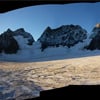
How to Fill Black Areas of a Panorama.

Merging photos into a panorama often leads to unsightly empty areas on the final stitched image. Inpaint momentarily restores those black areas saving the natural non-cropped look of the photo and retaining author's composition.

Removing watermark - the Easy Way

How to Remove Watermark from a picture.

This tutorial tells how to remove a watermark from a photo in several minutes without any graphic or retouching skills at all.

Removing power lines from your photos without Photoshop

How to Remove Power Lines from a photo.

Have you ever thought: "This photo is superb expect for these power lines on the background messing up all the effect"? Now you can quickly erase power lines from any photo with Inpaint.

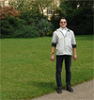
How to Clone Yourself on a photo. [+Video]

Multiplicity Photography is a process of taking several photos of the same human, animal or object doing different things in different areas of the frame. All those photos are then combined using Inpaint.

Removing a date stamp - complex photo restoration made simple

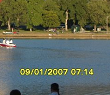
How to remove a Date Stamp from a photo.

You might find your camera's date stamp feature useful, at least until you decide to print some of your photographs. Photo retouch techniques in Photoshop are incredibly complex, but with Inpaint you can remove your date stamp in literally seconds.

Repair damaged old pictures without photoshop

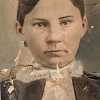
How to repair scratches, tears, and spots on an old photo.

Repairing an old family photo is easier than ever thanks to this simple Inpaint tool.

Repair damaged old pictures without photoshop

How to erase wrinkles pimples and skin blemishes.

Discover how to easily remove people’s wrinkles and take years off without any graphic editor skills.

Remove an unwanted object from an image

How to remove an unwanted object from an image. [Video]

Watch how a palm tree is removed from a photograph in less than sixty seconds. Most people have no idea that photo retouching and restoration could be so quick and simple.